Change the pace.
Review from 0.125× to 4× speed. Pause, step or jog through source presentation frames, including high-frame-rate video.
 FrameLabVIDEO ANALYZER
One swing. One serve. One split second.
Slow it down, mark it up, and find your perspective.

Real Android app captures of the 1.2 review interface, using sports videos, manual annotations, comparison and export tools.
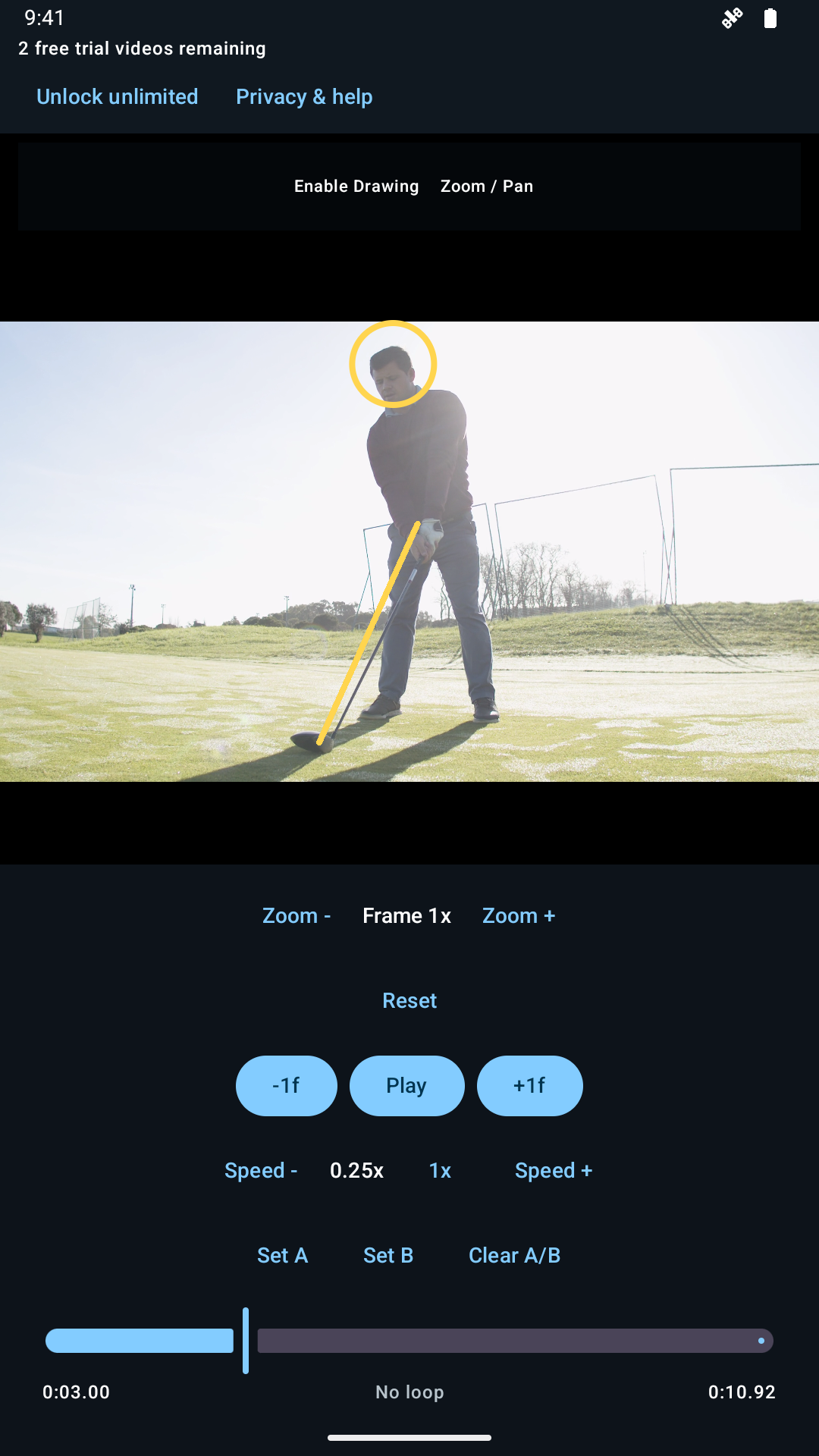
Pause on a source frame and add manual reference marks. Open another video or share your analysis from the review screen.
View full-size screenshot ↗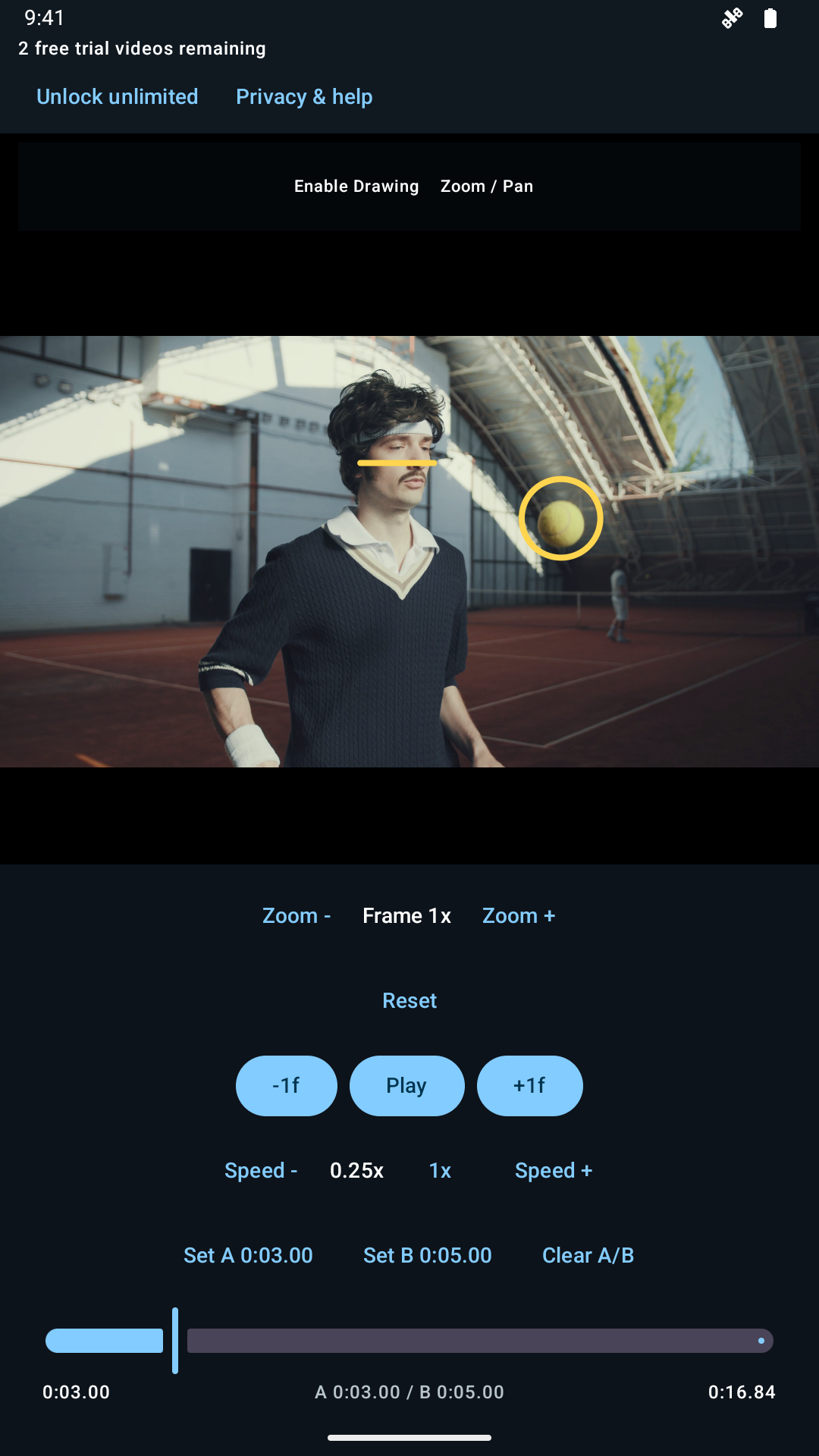
Set the loop start and end, then watch the selected movement again at your chosen speed.
View full-size screenshot ↗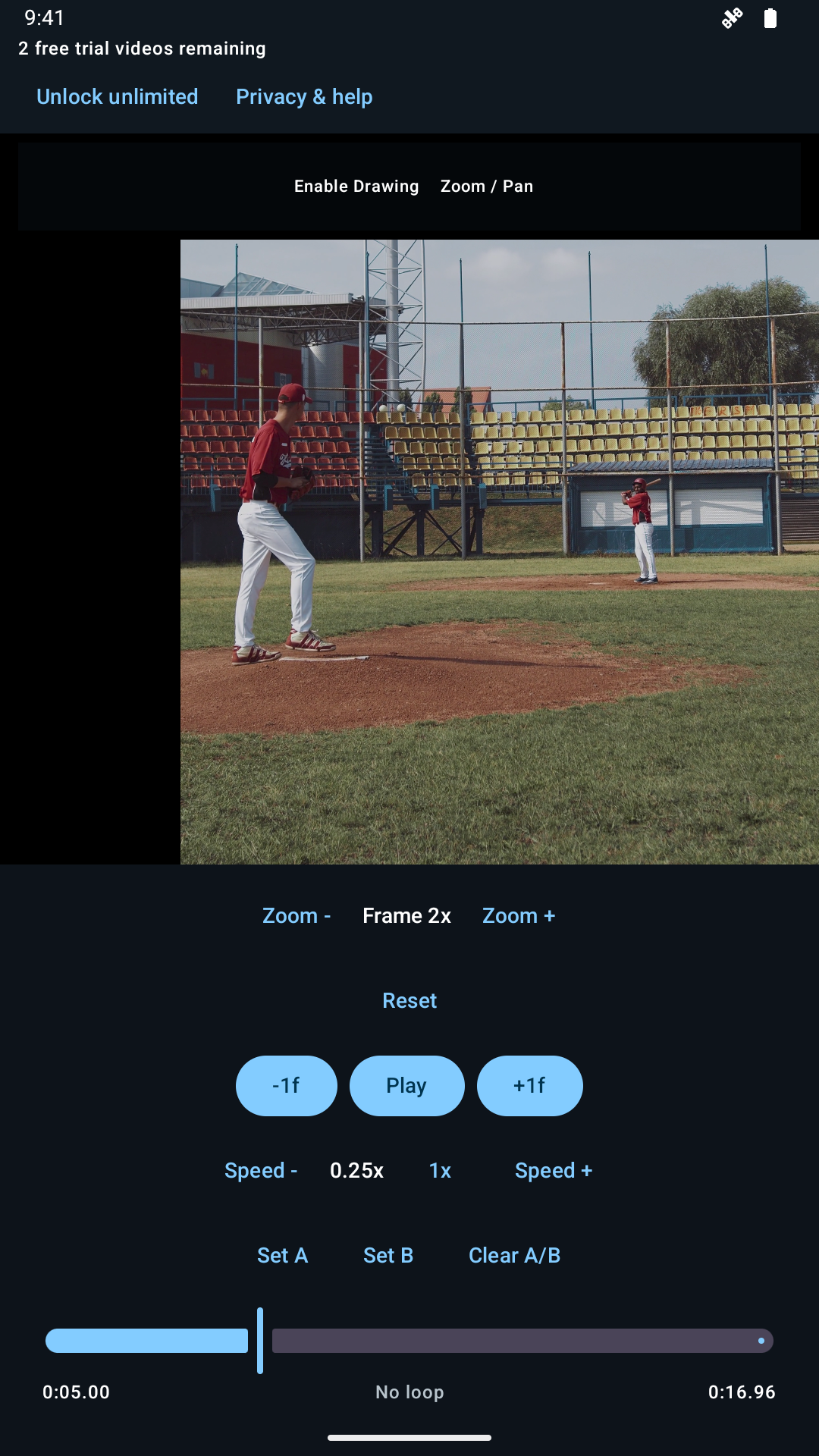
Bring the pitcher closer, pan the view, and jog through the original video frames.
View full-size screenshot ↗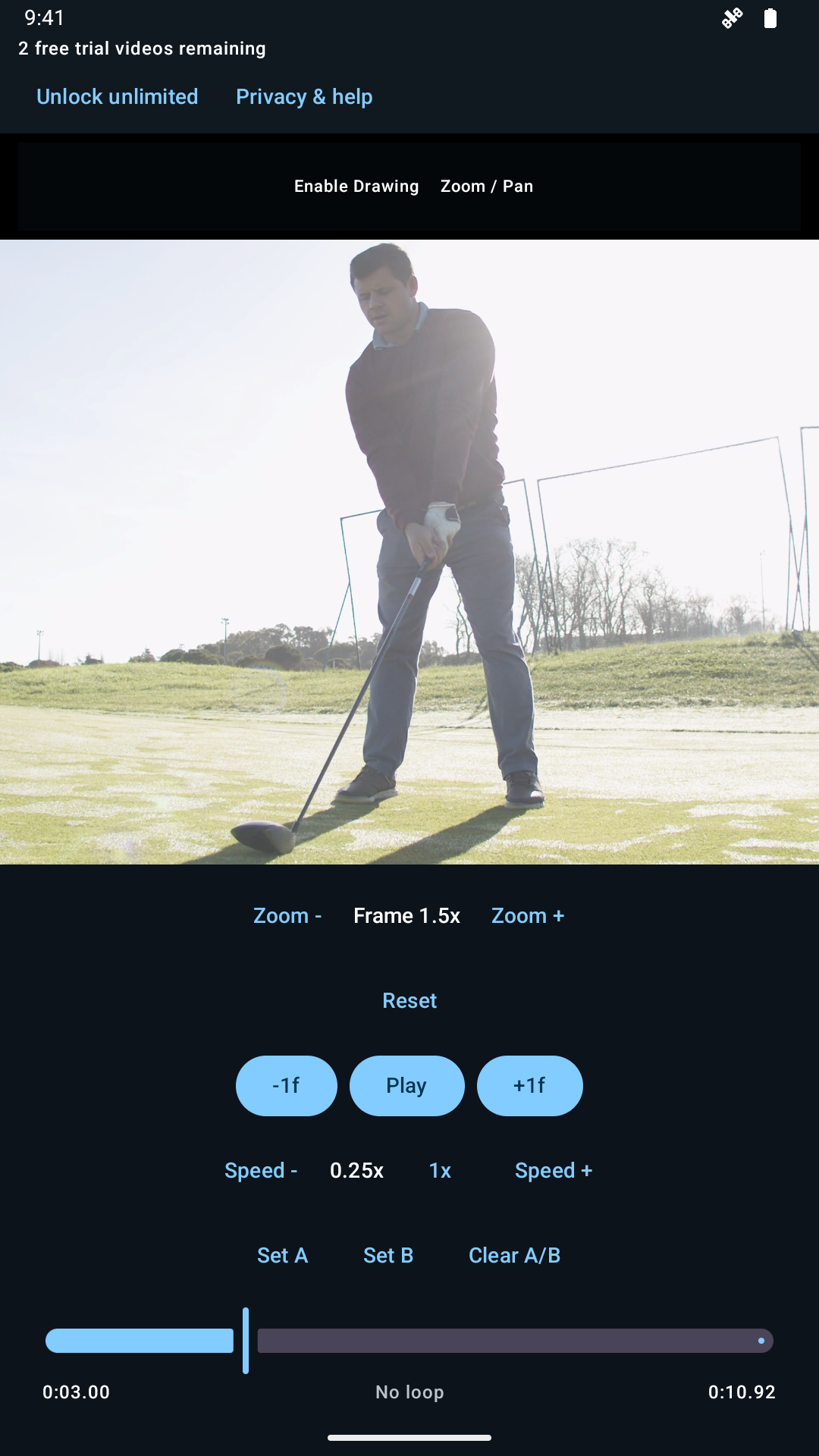
Adjust zoom and framing while keeping transport controls close to the video.
View full-size screenshot ↗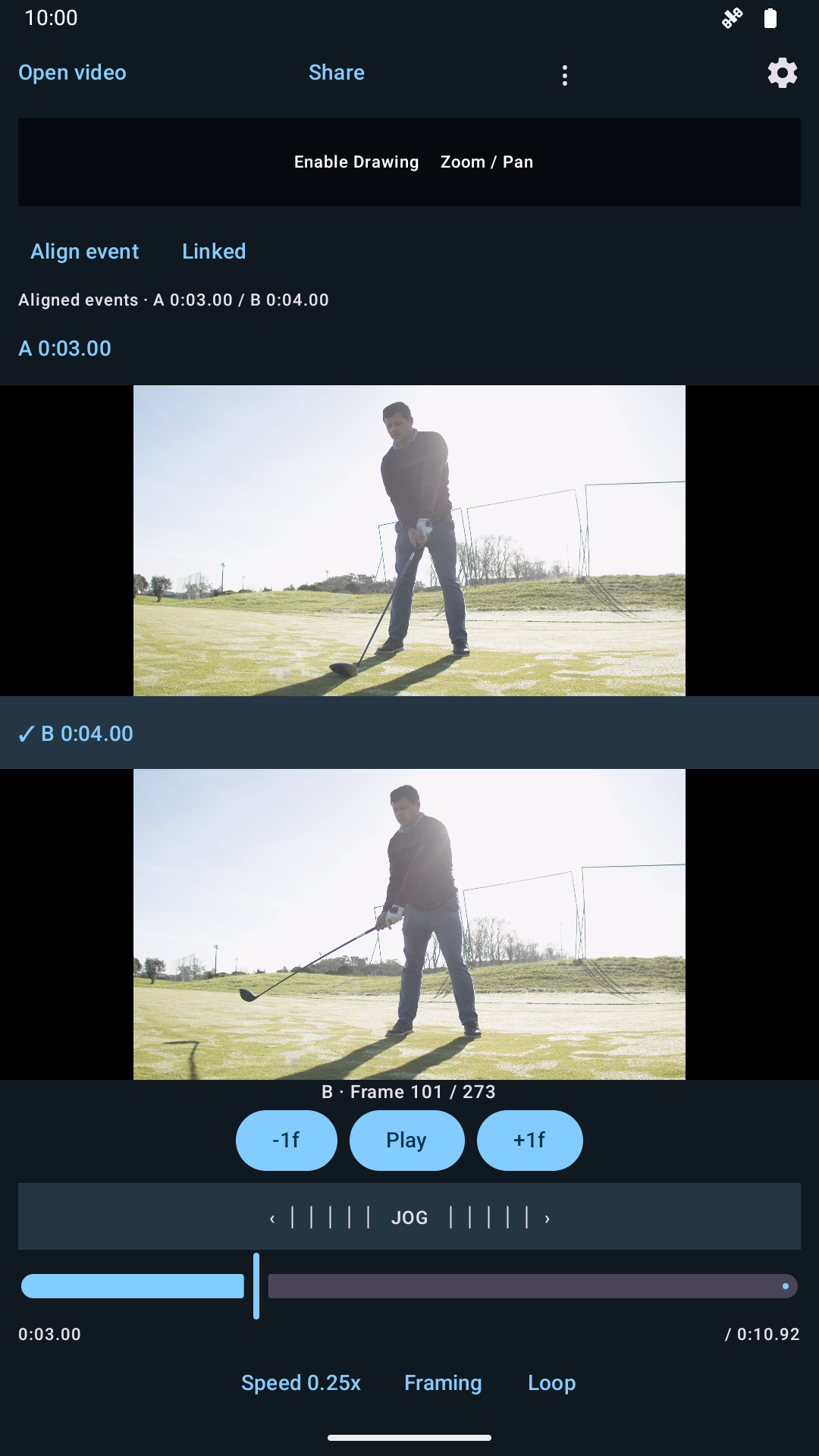
Mark the event in A, mark it in B, then play aligned. This demonstration compares two positions in the same golf source.
View full-size screenshot ↗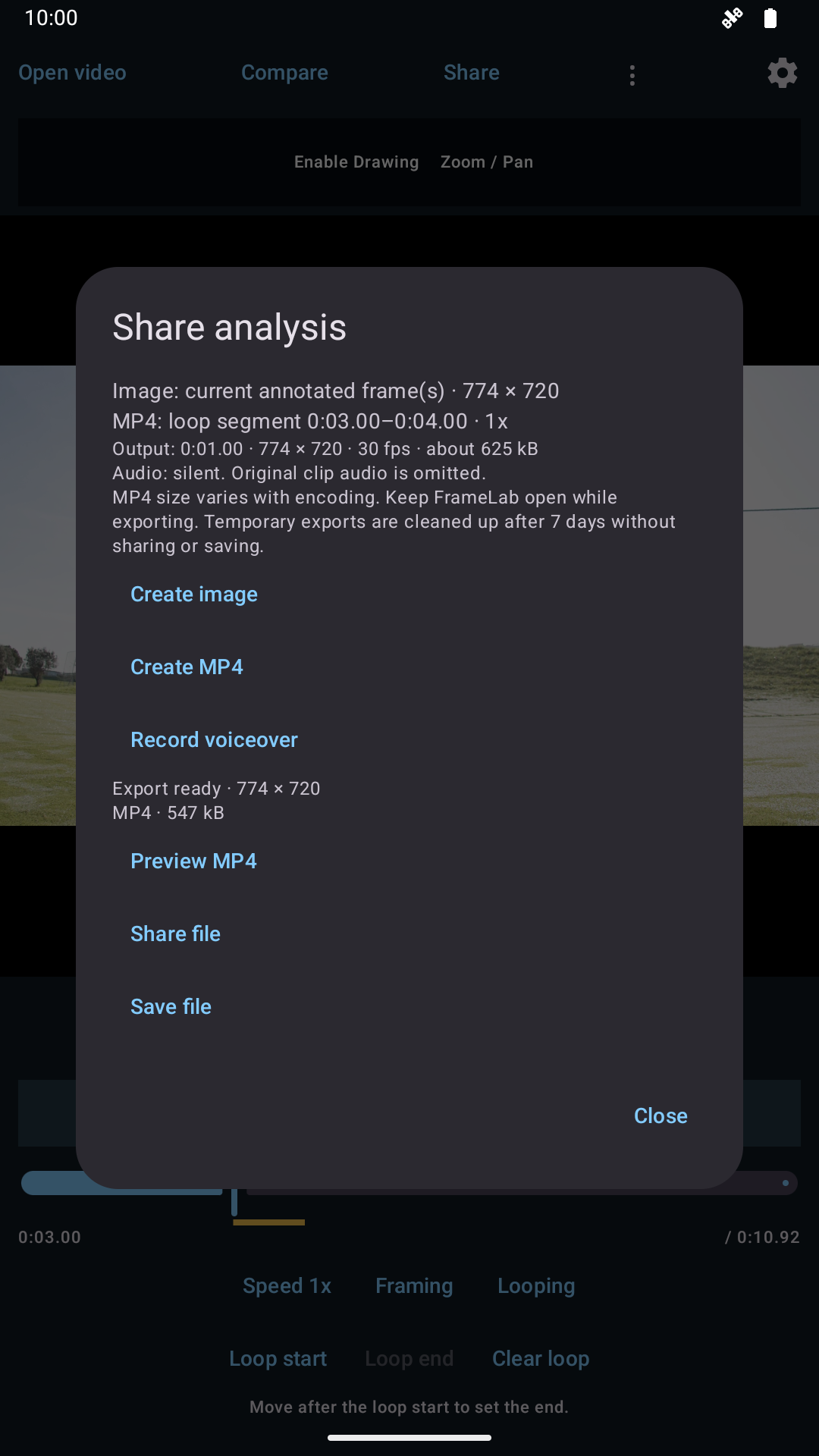
Check the output duration, dimensions and audio choice. Generate an image or MP4, then preview it before saving or sharing.
View full-size screenshot ↗Demonstration footage from Pexels: Kampus Production, cottonbro studio, and Tima Miroshnichenko. Athletes shown do not endorse FrameLab. Annotations are illustrative references, not coaching advice.
Review from 0.125× to 4× speed. Pause, step or jog through source presentation frames, including high-frame-rate video.
Mark a loop start and end. See the selected interval on the timeline and repeat the movement you want to study.
Use lines, arrows, circles, dots, freehand marks and three-point angles. Zoom, pan and mirror each clip independently.
Use Open, choose a saved clip, or share a video from Google Photos or another compatible app. Import shows copying and preparation progress.
Slow playback, loop a section and pinch to zoom. For comparison, mark the same event in A and B, then play aligned.
Save changes to a local review or make a separate copy. Opening another video keeps named saves separate. Preview your exported image or MP4 before choosing where to send it.
Planned US launch pricing. One permanent purchase.
No subscription. No ads. No FrameLab account.
Start with three video loads. From the next local midnight after the third, load two videos per day—enough for a comparison. Each load counts, including reopening a saved clip. Playback, drawing, canceled picks, and failed imports do not use additional loads.
Unlimited removes the video allowance. Unused daily loads don't accumulate. The app is in release preparation and isn't publicly available for download yet.
Need help, have feedback, or want to know more? Drop us a line.
Please don't email private videos or payment information.
Your videos stay yours.
FrameLab reviews selected videos on your device. We don't upload your footage or annotations.